


Security Workflow Integration for Shodan
Network security depends on updating policies, permissions, and block lists. With automated workflows in Blink, triggering these updates is seamless.
Automating Shodan Scans with Blink
Blink supports 18 out-of-the-box actions for Shodan so it’s easy to crawl, scan, and monitor all of your internet-accessible devices.
Shodan is a search engine that lets users search for various types of servers connected to the internet using a variety of filters. Some have also described it as a search engine of service banners, which are metadata that the server sends back to the client.
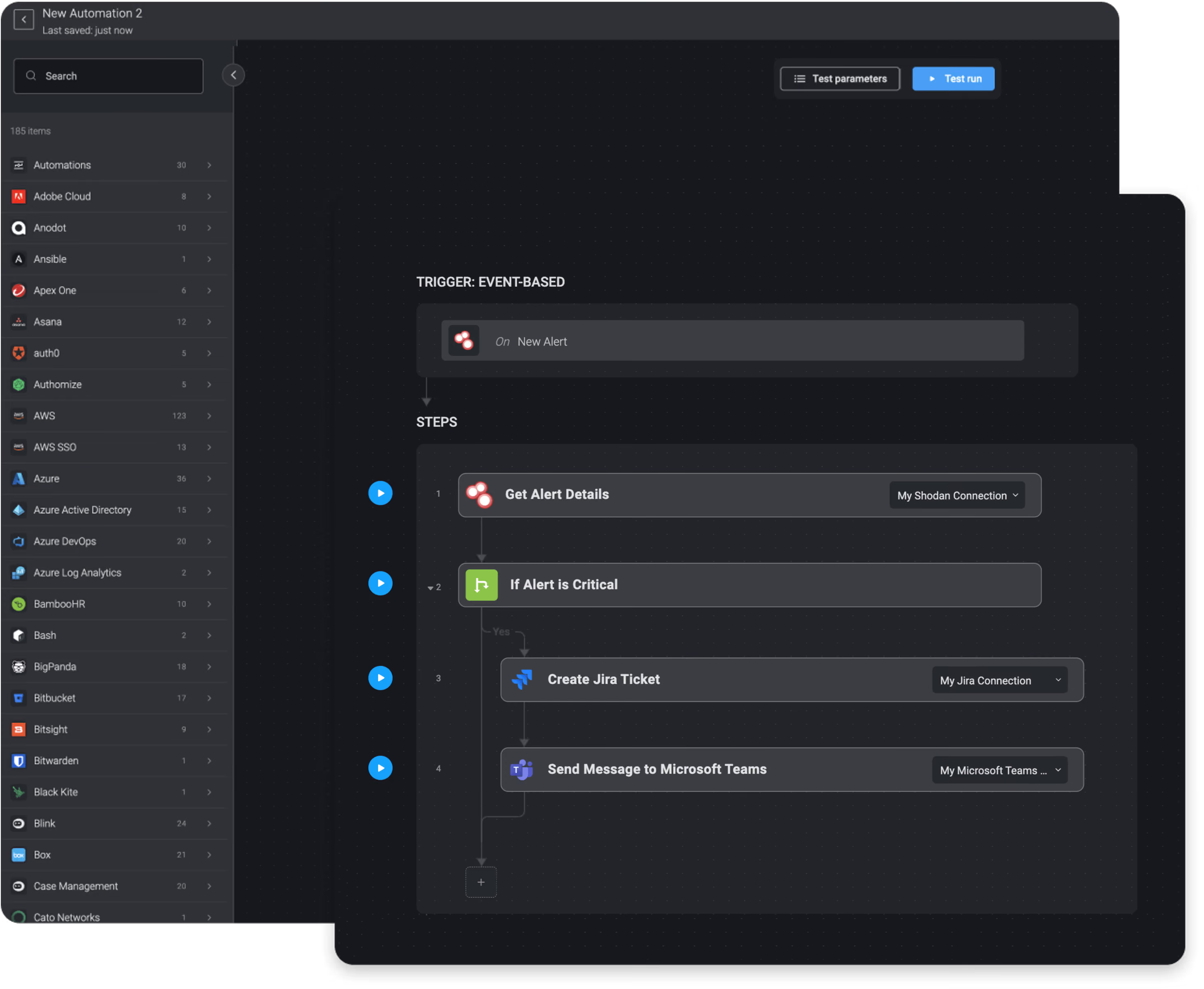
For structured, repeatable tasks that need to run the same way every time, Blink offers deterministic workflows built on the same Shodan actions. No reasoning required, just reliable execution on a defined path. In the Blink library, we have compiled 8,000 automations that customers can download and run instantly. These automations include workflows for cloud security, compliance, identity & access management, network security, SOC & incident response, and threat hunting.
Network Security


Get Alert Details with Shodan and Send Results via Email
Get Scan Status with Shodan and Send Results via Email
Crawl IP or Netblock with Shodan and Send Results via Email
List Alerts with Shodan and Send Results via Email
List Crawled Ports with Shodan and Send Results via Email
Enable Trigger with Shodan and Send Results via Email


