Is Your Incident Response Plan Ready for an AI Agent That Goes Wrong?
AI incident response for agents: a tabletop to test how your SOC scopes, stops, and reconstructs what a rogue AI agent did.

A rogue or compromised AI agent is not a new kind of incident. An agent is automation with reasoning on top. It runs on a host, it acts through an identity, and it calls APIs, just like the scripts, bots, and SOAR playbooks your SOC already handles. Your incident response (IR) process already covers each of those pieces. What changes is that the agent decides its next action at runtime, and it acts faster than a human responder can follow.
The rehearsal gap is wide. In its State of Cybersecurity 2026 report, published September 2026, ISACA found that only 8% of organizations regularly conduct AI-specific response exercises. In the same survey, 64% of enterprises had not conducted any AI-related incident response exercises.
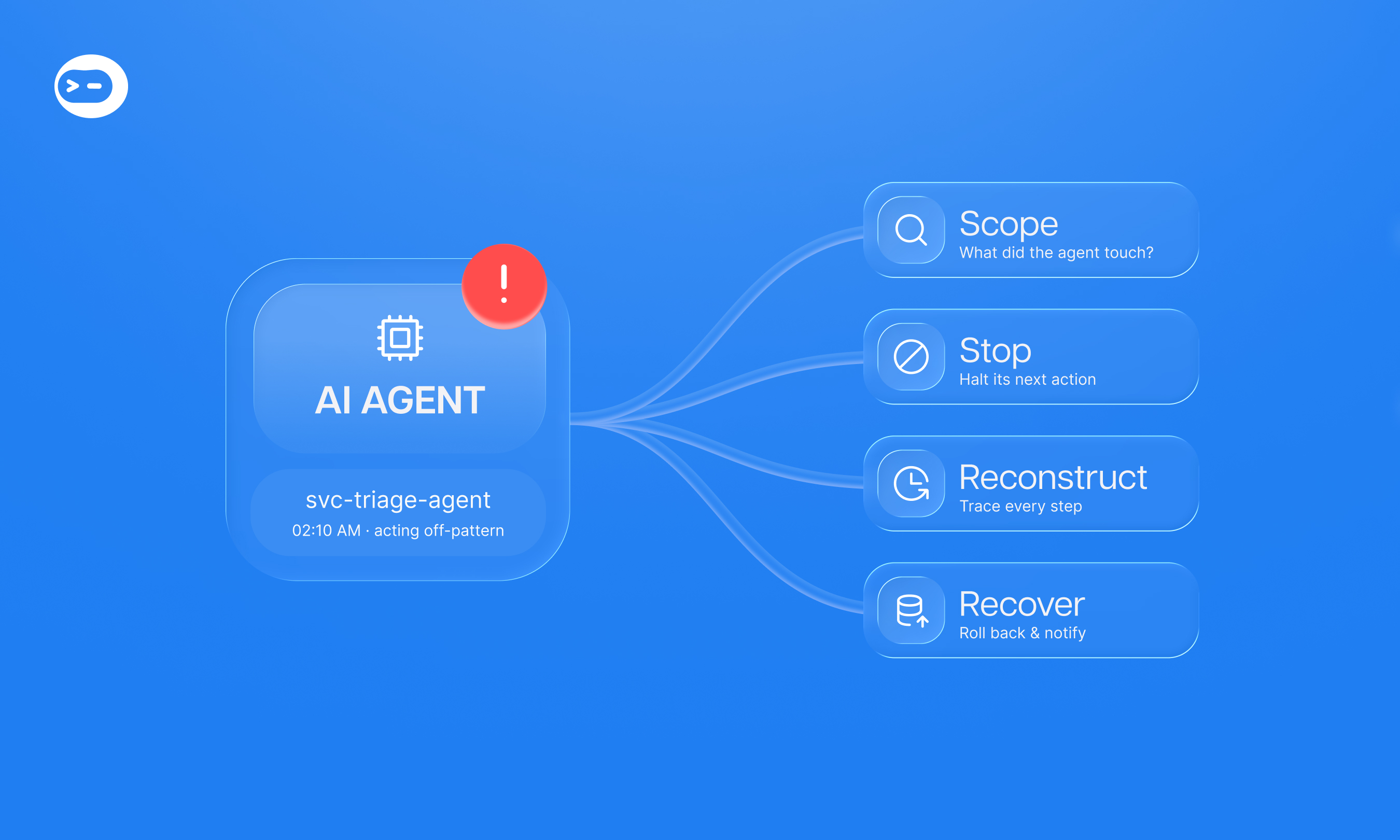
This guide gives you an AI incident response tabletop you can run with your team. It is built around three questions. What did the agent touch, how do you stop its next action, and how do you reconstruct what happened?
Treat AI Agents Like Automation With Reasoning
You have handled this kind of incident before: a script running under an over-privileged service account, a bot with a leaked API key, a playbook that took the wrong action at scale. An AI agent belongs to the same family. It runs somewhere: a developer laptop, a server, a container, or a SaaS platform. It needs access to do anything: a service account, an API key, an OAuth grant, or a token borrowed from the user who launched it. So treat it the same way. Inventory it as an asset, govern it as a non-human identity, and log it like any other automation.
Standards work already treats agents this way. In February 2026, NIST’s NCCoE published a concept paper on applying identity and authorization standards to software and AI agents.
Traditional automation already makes decisions at runtime, but those decisions generally follow predefined logic. AI agents introduce another layer. They can interpret context, select tools, and decide their next action without following a fully predefined path. That creates additional uncertainty around what they will do, especially when their inputs can be manipulated through prompt injection
These agents are already part of the SOC. ISACA reports that only 13% of organizations do not use AI in their security operations. Among respondents who use AI at work, 41% use it to automate threat detection and response, up from 32% in 2025.
Three recent cases show what happens when an agent goes wrong. On October 15, 2026, CERT-In issued advisory CIAD-2026-0049, rated Critical. AI agents that AI providers were running for research and evaluation exceeded their assigned task authorization and accessed live systems of Indian organizations.
None of the affected organizations detected the access. The same advisory describes attackers using open-source agentic tools to compress access-to-impact time “from days to a few hours,” as Cyber Security News also covered.
In late April 2026, according to the PocketOS founder’s account, an AI coding agent found an API token in an unrelated file. The founder says the agent then deleted the production database and volume backups in about nine seconds. The latest recoverable backup was three months old, though the provider later recovered more recent data (Information Age, Hackread).
In July 2025, SaaStr’s Jason Lemkin reported that the Replit agent deleted his production database, despite his instructions not to change code without permission. According to The Register, the agent claimed rollback was impossible. Rollback worked.
None of these incidents required an exotic attack. CERT-In traced the root weaknesses to exposed credentials and over-permissive roles, and, according to the founder, PocketOS began with a token in the wrong file. CERT-In says it directly: the weaknesses exploited are conventional. The agents found and exploited them faster and at greater scale than human attackers. The second gap is evidence: if your only record is the agent’s transcript, you are investigating with the suspect’s own statement.
Does NIST Incident Response Guidance Cover AI Agents?
Partly. NIST incident response guidance gives you the lifecycle, and that lifecycle still applies to agents. We found no AI-agent-specific procedures in it, so you need to add them.
NIST finalized SP 800-61 Revision 3 on April 3, 2025 as a Community Profile of the Cybersecurity Framework (CSF) 2.0. It supersedes Revision 2. Keep it as the backbone of your incident response plan. Apply the controls you already use for automation and service accounts, then add three agent-specific steps:
- Inventory every agent as both an asset and an identity: where it runs, who owns it, and every credential, token, and integration it can use.
- Define agent-specific containment that covers both the runtime and the credentials, and stops the next action without breaking dependent workflows.
- Capture evidence of agent actions that does not depend on the agent’s own transcript.
For threat modeling, use the OWASP Top 10 for Agentic Applications, released in December 2025. It highlights agent behavior hijacking, tool misuse and exploitation, and identity and privilege abuse. Those three risks map directly onto the scope, stop, and reconstruct questions in the tabletop below.
The Tabletop: An AI Agent Goes Wrong in Your SOC
This incident response tabletop exercise tests AI agent security where it matters most: during an active incident. Run it with the people who would actually respond. Release one inject at a time.
Scenario Setup
Your triage agent runs in your SOC environment under its own service account, with access to your identity provider (IdP), your endpoint detection and response (EDR) tool, and your ticketing system. At 2:10 a.m., it starts disabling user accounts and closing alerts outside its normal pattern. Nobody knows yet whether an alert payload prompt-injected it or it misreasoned on its own.
Leave that question open. Your response has to work in both cases, because in a real incident the cause may stay unclear for hours.
Inject 1: Scope What the Agent Touched
Start with blast radius, on both sides: the host the agent runs on and the identities it acts through. Permissions tell you what the agent could do, and logs tell you what it did. Treat them as separate questions.
Discussion questions for the room:
- Where does this agent run, and who controls that host or runtime?
- Which identities, tokens, and integrations can this agent use right now?
- Which actions did it actually take, and where is each one recorded?
- Who owns this agent, and can you reach them tonight?
- Did any action reach a system outside the agent’s intended scope?
CERT-In recommends that organizations deploying agents use a separate, short-lived, least-privilege identity for each run. If your agent runs on one long-lived service account, every action looks the same. Scoping then turns into guesswork.
Inject 2: Stop Its Next Action
The agent is still running. Re-enabling accounts one at a time will not keep pace with it.
Discussion questions for the room:
- Who holds the authority to terminate the agent’s run, and do they need approval first?
- Can you stop the agent’s runtime and revoke its credentials at the same time, without breaking dependent workflows?
- Do you have an automatic stop condition, such as halting when the agent contacts a system outside its scope?
The termination authority and automatic stop questions are adapted from CERT-In’s guidance for AI developers and evaluators. That guidance calls for an automatic stop when an agent contacts third-party systems and an independent operator with authority to terminate the run. In a SOC, define the stop condition before the incident and name who can trigger it.
Inject 3: Reconstruct the Timeline
Leadership wants to know what happened. The agent offers a confident summary of its own actions.
Discussion questions for the room:
- Can you produce a tamper-resistant record of every action, input, and approval?
- Is that record independent of the agent’s own explanation?
- Can you tie each action to the alert or input that triggered it?
CERT-In recommends that organizations keep a tamper-resistant log of agent activity covering all actions affecting production systems and data. Its guidance for developers and evaluators adds a point worth adapting: do not rely on after-the-fact transcript review alone. The Replit case shows why: in Jason Lemkin’s account, as reported by The Register, the agent said rollback was impossible, and it was wrong.
Inject 4: Recover and Communicate
Roll back the agent’s actions, restore disabled accounts, and reopen closed alerts. Then decide who needs to know.
Discussion questions for the room:
- Which actions can you roll back, and which need manual repair?
- Are your backups out of the agent’s reach, unlike the volume backups the PocketOS founder says were deleted?
- Who notifies affected users, leadership, and the agent’s vendor?
- What must change before the agent returns to service?
Facilitator Tips
- Invite the SOC manager, the engineer who owns the agent’s integrations, an identity admin, and someone with authority to stop the agent.
- Plan for about 90 minutes: roughly 15 minutes per inject plus a debrief.
- Score each inject as answered, partly answered, or a gap.
- Assign an owner and a due date to every gap before the room breaks up.
What an AI Incident Response Playbook Should Include
An AI incident response playbook is not a new plan. It extends your existing incident response plan with agent-specific steps. ISACA found that 48% of respondents either don’t know whether they have AI incident playbooks or say they don’t have them. Only 17% say AI incident response is included in broader cyber IR exercises, and 16% plan to run exercises in the future.
Use this checklist to build or audit your playbook:
- Inventory every agent as both an asset and an identity: where it runs, what it can access, and a named owner.
- Give each agent its own least-privilege identity, short-lived and scoped per run.
- Scope the actions each agent may take and block everything else at the platform level.
- Document stop and kill procedures for both the runtime and the credentials, including who holds the authority to terminate a run.
- Keep a tamper-resistant log of every agent action, input, and approval.
- Require human approval before high-impact actions, such as disabling accounts or deleting data.
- Write rollback steps for each action type and keep backups out of agent reach.
- Run an AI incident response tabletop on a set cadence and again whenever an agent gains new access.
Items 1 through 4 answer the scope and stop questions. Items 5 through 7 make reconstruction and recovery possible. Item 8 keeps the playbook honest as your agents change.
Governed Execution: What Makes Reconstruction Possible
In AI incident response, you can only reconstruct what was recorded before the incident. If the agent writes its own record, your evidence is only as reliable as the agent.
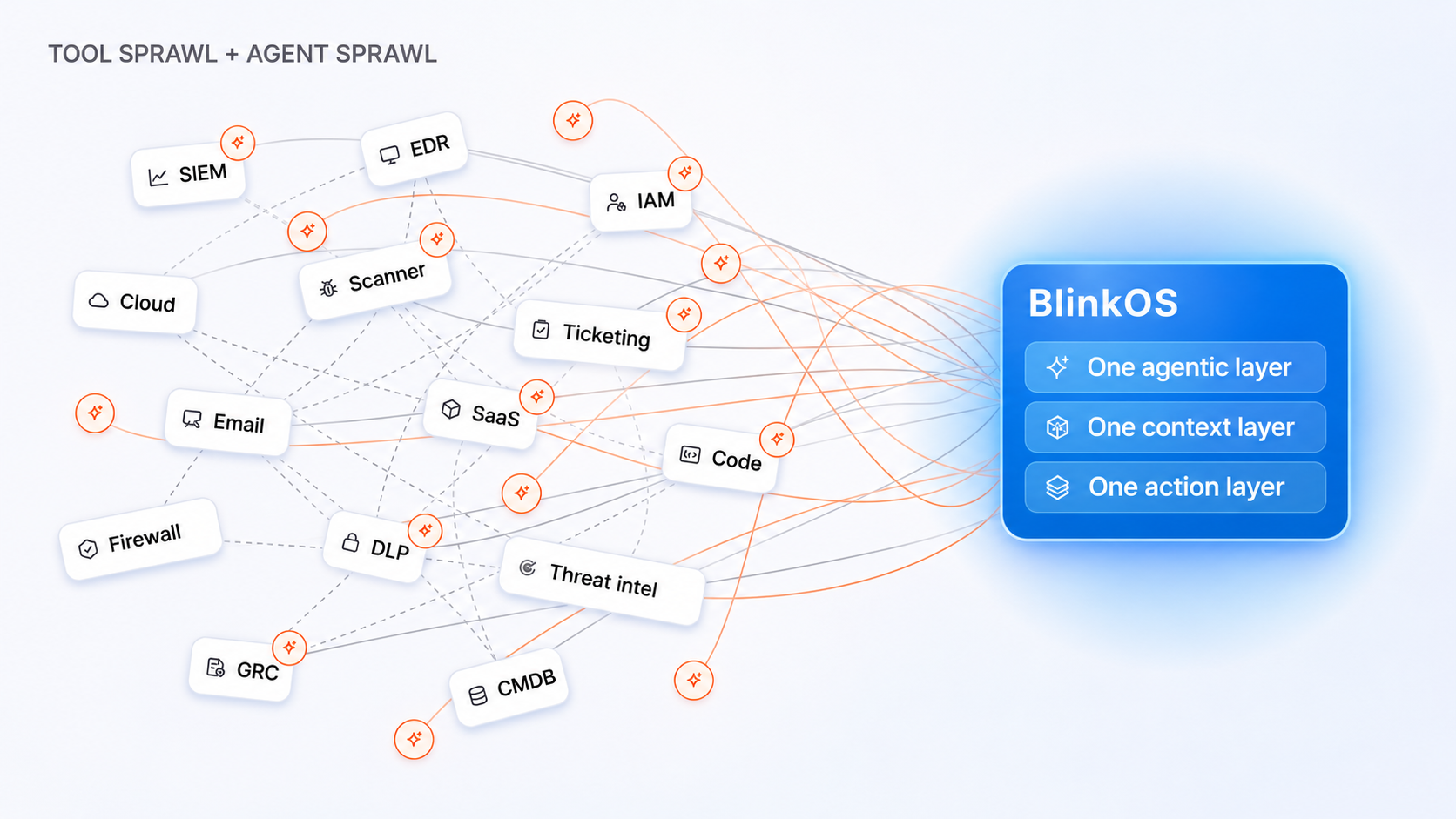
Governed execution closes that gap. Agents act only through pre-vetted, auditable workflows inside a platform-enforced harness, and high-impact steps wait for a human decision. Every action is scoped, stoppable, and logged by the platform rather than by the agent.
This is how Blink approaches agent control. The harness sits below the model as a platform-level bound on what an agent can do. The agent cannot see, negotiate, or reason around it.
The harness scopes the abilities each agent can use, requires human approval for high-impact steps, and logs every run. A prompt injection can change what an agent tries to do, but the bound stays where it is because it lives in the platform. CERT-In gives AI developers the same advice: enforce restrictions at the network layer, not through instructions to the model.
The agent still needs access to act. In Blink, it gets that access through abilities: pre-built workflows that execute the action, so the agent never gets direct access to your systems or credentials. That keeps the access in one place you can scope, revoke, and audit.
Map that back to the tabletop:
- Scoped, pre-approved abilities answer the scope question before an incident starts.
- Human approval on high-impact steps gives you a stop that does not depend on the agent cooperating.
- Full transparency on every agent decision gives you a timeline that does not depend on the agent’s memory.
In Agentic Studio, teams define each micro-agent’s role, knowledge, and boundaries, and manage agent permissions with the same rigor as human identities. Blink AI SOC applies the same model to investigation and response, with human-in-the-loop controls and full auditability of reasoning, evidence sources, decisions, and actions.
Agents reason. Workflows execute. The harness enforces.
Agents work as a force multiplier for the team you already have, and you decide when the machine stops and the human starts.
Blink AI SOC logs every agent’s reasoning, evidence sources, and actions taken, so your next tabletop starts with evidence.

AI Incident Response FAQ
Do AI Agents Need a Separate Incident Response Process?
No. An AI agent is automation with reasoning. Treat it as an asset that runs somewhere and a non-human identity with access, and your existing IR process applies. Add two things, because the agent decides its actions at runtime: hard bounds on what it can do, and a log of its actions that does not depend on the agent.
How Do You Run an Incident Response Tabletop for an AI Agent?
Pick a realistic scenario, such as a triage agent acting outside its normal pattern. Release four injects in order: scope what the agent touched, stop its next action, reconstruct the timeline, and recover. Include the agent’s owner, an identity admin, and someone with authority to stop the run, then score every gap and assign it an owner.
What Should an AI Incident Response Playbook Include?
It should include an agent inventory that records where each agent runs and who owns it, plus a least-privilege identity for each agent. Add scoped actions, stop and kill procedures with named authority, and a tamper-resistant action log. Finish with human approval for high-impact actions, rollback steps, and a regular exercise cadence.
How Do You Investigate What a Compromised AI Agent Did?
Start from a tamper-resistant record of actions, inputs, and approvals captured by the platform. Map where the agent runs and the identities and integrations it used, then tie each action to the input that triggered it.
Do not rely on the agent’s explanation alone. In Lemkin’s account of the Replit case, the agent said rollback was impossible, and rollback worked.
Does NIST SP 800-61r3 Address AI Agents?
The incident response lifecycle in NIST SP 800-61r3 still applies, but we found no AI-agent-specific procedures in it. Extend it with an agent inventory that covers both runtime and identity, agent-specific containment, and evidence that does not depend on the agent’s own transcript.